Delivering an education presentation in 2026 is very different from what it used to be a few years ago. Today’s learners—whether students, trainees, or academic audiences—expect clarity, interaction, and meaningful content, not just slides filled with text.
Whether you are a teacher, student, academic professional, or trainer, your presentation is not just about sharing information. It is about helping people understand, remember, and apply what you are teaching.
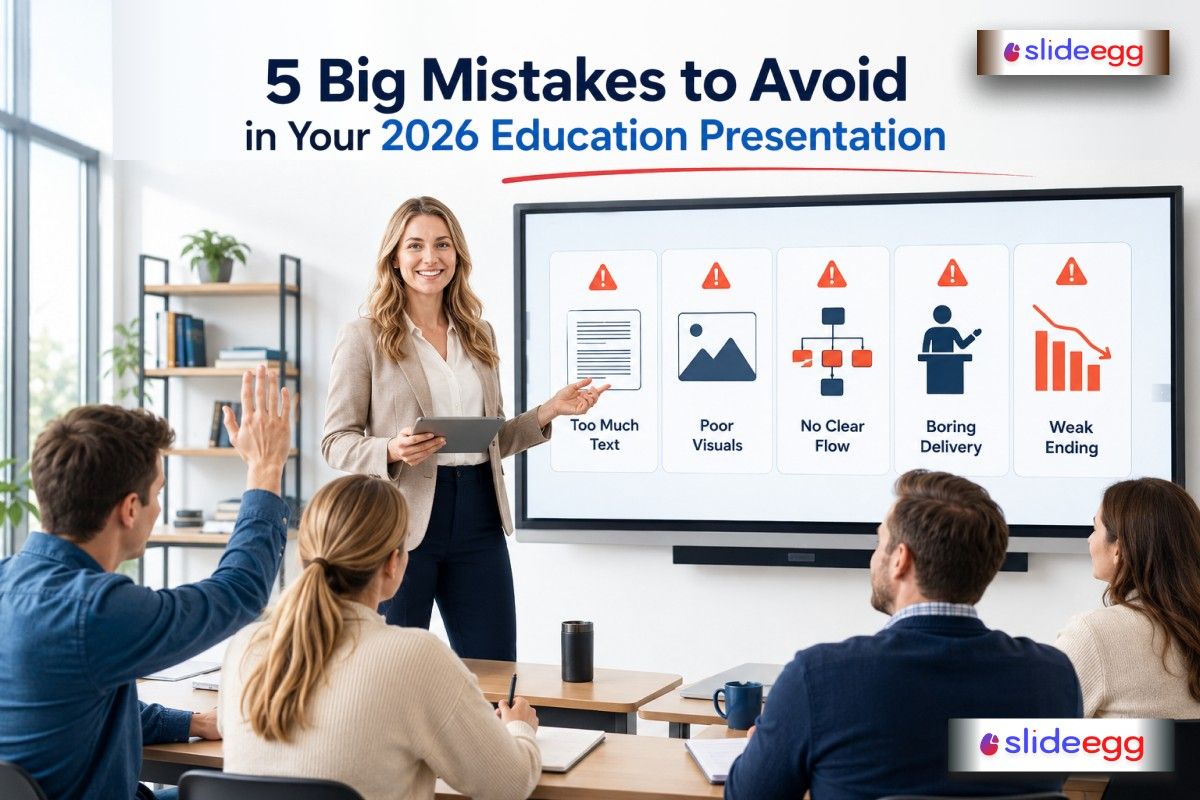
Yet, many presenters still make simple mistakes that reduce impact. Let’s go through the five biggest mistakes to avoid in your 2026 education presentation, along with practical ways to fix them.
1. Overloading Slides with Too Much Information
One of the most common mistakes is treating slides like textbooks. Many presenters try to put everything they know onto the screen.
But here’s the truth: a slide is a visual guide, not a script.
When learners see too much text, their attention drops quickly. Instead of listening to you, they start reading ahead—or worse, stop paying attention completely.
Better approach:
- Keep one idea per slide
- Use short bullet points instead of paragraphs
- Replace text with visuals like diagrams or icons
- Speak the explanation instead of writing it all
Example:
Instead of writing a full definition of climate change, show a simple image of melting ice and explain it in your own words. Think of your slides like signboards on a road—they guide the journey, not explain the entire map.
2. Ignoring Audience Engagement
A presentation is not a lecture where only one person speaks, and others quietly listen. In 2026, audiences expect interaction.
If your presentation feels one-sided, attention drops within minutes.
This mistake is common among teachers, lecturers, and even professional trainers who rely only on speaking.
Better approach:
- Ask simple questions during the presentation
- Include short activities or discussions
- Use real-life examples students can relate to
- Pause and check understanding
Example:
Instead of explaining “photosynthesis” continuously, ask:
“Can anyone tell me why plants turn toward sunlight?”
Even a small question can bring attention back instantly.
3. Using Outdated or Unclear Visual Design
Design matters more than most people think. Even strong content can fail if slides look outdated or cluttered.
Many presenters still use:
- Heavy backgrounds
- Small fonts
- Poor color contrast
- Too many animations
This creates confusion and reduces readability.
Better approach:
- Use clean and simple layouts
- Stick to readable fonts (Learn more in The Do’s and Don’ts of Using Fonts in Presentations)
- Use consistent colors throughout
- Highlight key points instead of decorating everything
Think of your slides like a classroom board—you want clarity, not decoration overload.
Example:
A white background with dark text and one supporting image is far more effective than a colorful, crowded slide.
4. Speaking Without Structure or Flow
Another major mistake is jumping between topics without a clear flow. This makes it hard for the audience to follow your message.
Even great content can feel confusing if it is not organized properly.
Better approach:
Follow a simple structure:
- Start: Introduce the topic clearly
- Middle: Explain the main points step by step
- End: Summarize key takeaways
Use transitions like:
- “Now let’s move to…”
- “Another important point is…”
- “To understand this better…”
Example:
If you are teaching a lesson on the solar system, start from the sun, then move outward planet by planet. Don’t jump randomly between planets.
A clear flow works like a story—it keeps the audience connected from beginning to end.
5. Not Practicing Delivery Before Presenting
Many presenters underestimate practice. They assume knowing the content is enough—but delivery makes a huge difference.
Without practice, you may:
- Speak too fast or too slow
- Forget key points
- Run out of time
- Lose confidence in front of the audience
This is especially important for students and academic presenters.
Better approach:
- Rehearse your presentation at least 2–3 times
- Practice with a timer
- Present in front of a friend or a mirror
- Record yourself to improve tone and clarity
Example:
A student giving a seminar might know every detail but still struggle if they haven’t practiced speaking it aloud.
Practice turns knowledge into confidence.
Final Thoughts
A great education presentation in 2026 is not about having the most slides or the most information. It is about clarity, engagement, and connection.
If you avoid these five mistakes:
- Overloading slides
- Ignoring audience interaction
- Using poor design
- Lacking structure
- Skipping practice
You will instantly improve how your audience understands and remembers your message.
Remember, your goal is not just to present information—it is to make learning easier and more meaningful for your audience.
FAQs
1. What is the biggest mistake in education presentations?
The biggest mistake is overloading slides with too much text, which reduces audience attention and understanding.
2. How can teachers make presentations more engaging?
Teachers can use questions, discussions, real-life examples, and visuals to keep students involved.
3. What makes a good education presentation in 2026?
A good presentation is simple, visually clear, well-structured, and interactive.
4. Should slides contain full sentences?
No. Slides should use short phrases or keywords, while the presenter explains the details verbally.
5. How important is practice before presenting?
Very important. Practice improves confidence, timing, clarity, and overall delivery quality.



