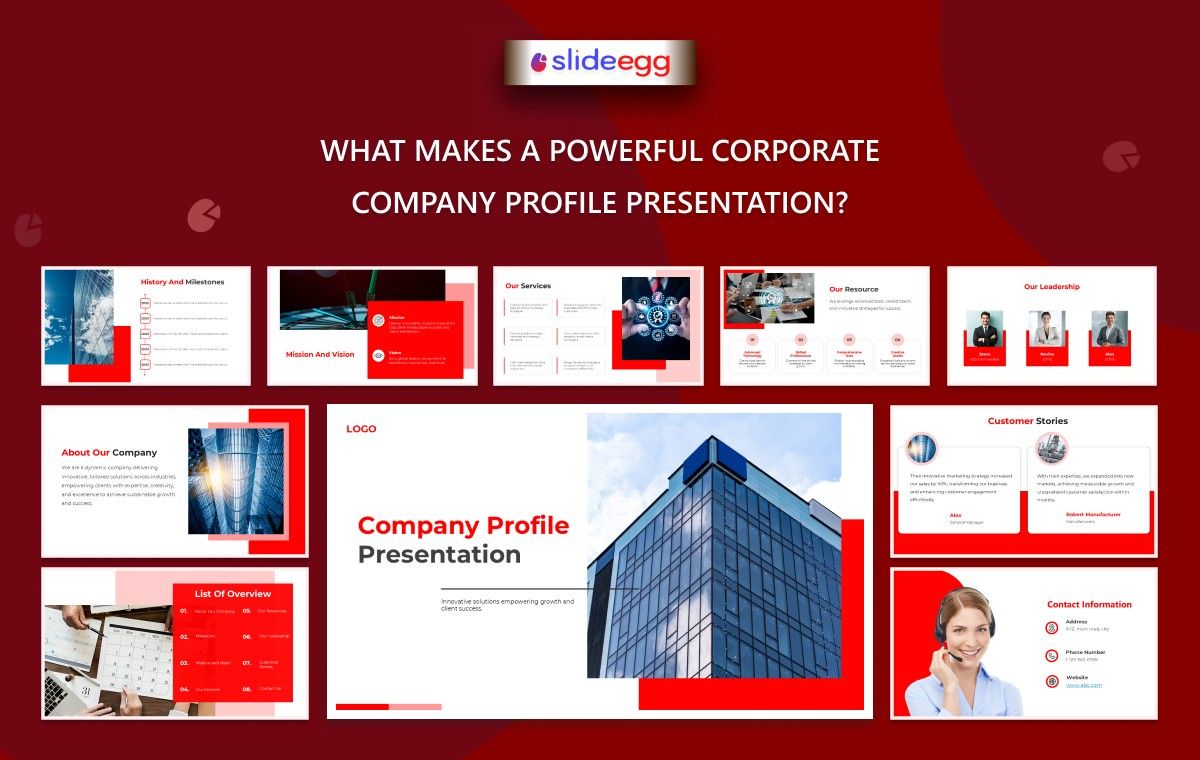
A corporate company profile presentation is often the first real impression your business makes. Before a meeting, a pitch, or a partnership, people usually see your slides first. And in many cases, that decides whether they trust your company or move on.
A powerful presentation is not about adding more slides or fancy visuals. It’s about clarity, structure, and how well your story connects with the people watching it.
Let’s break down what actually makes it work in a real business setting.
1. A Clear and Simple Company Story
Every strong presentation starts with a simple question:
“Who are you, and what do you do?”
Many companies overcomplicate this section. But the most effective ones keep it short and direct.
A good opening usually includes:
- Company name and what it stands for
- What problem do you solve
- Who you help
If someone understands your business in 30 seconds, you’re already ahead.
2. A Strong Visual Structure (Not Cluttered Slides)
People don’t remember crowded slides. They remember clean ones.
A well-structured presentation:
- Uses short points instead of long paragraphs
- Keeps one idea per slide
- Uses visuals that support the message, not distract from it
Many teams start with a company presentation template to maintain structure, especially when building multiple presentations for clients or investors. It helps keep everything consistent without starting from scratch every time.
3. Focus on Real Business Value
A powerful corporate profile doesn’t just talk about the company—it shows value.
Instead of saying:
- “We offer IT services.”
Say:
- “We help businesses reduce manual work and improve speed through automation tools.”
This small shift changes how people see your business.
For:
- Corporate professionals
- Business owners
- Sales teams
This section is where trust starts building.
4. Easy Flow from Problem to Solution
A strong presentation follows a natural path:
- What is the problem in the market?
- Why does it matter?
- How does your company solve it?
- What results have you achieved?
When the flow feels natural, the audience stays engaged without effort.
5. Real Proof, Not Just Claims
Anyone can say they are “best” or “trusted.”
But strong presentations show it.
You can include:
- Client logos
- Case studies
- Results or numbers
- Testimonials
This is especially important for:
- Marketing and branding teams
- Business development teams
- Consultants
Proof builds confidence faster than words.
6. Clean Design That Supports Your Message
Design is not decoration. It’s communication.
A good corporate presentation:
- Uses consistent colors and fonts
- Avoids too many effects
- Keeps charts simple and readable
If you’re starting out, using free Google Slides can help you build a clean base quickly and customize it based on your brand style.
Designers and students often use this approach to save time while focusing more on content clarity.
7. Easy Customization for Different Audiences
A strong presentation is flexible. You shouldn’t use the same version for every audience.
For example:
- Investors want numbers and growth
- Clients want services and results
- Partners want collaboration benefits
This is where an interactive presentation tool can help teams adjust slides quickly for different meetings without rebuilding everything.
8. A Clear Ending with Action
Many presentations fail at the end. They just stop.
A powerful closing should clearly answer the following:
- What should the audience do next?
- Should they contact you, invest, or collaborate?
Simple clarity works better than long conclusions.
Who Benefits from This Approach?
This structure is especially useful for:
- Corporate professionals preparing for business meetings
- Business owners & entrepreneurs building trust
- Marketing and branding teams are shaping brand identity
- Sales and business development teams closing deals
- Startups preparing corporate-level presentations
- Consultants explaining services clearly
- Designers building business presentations
- Students in the business, management, and marketing fields
Final Thought
A powerful corporate company profile presentation is not about making it look impressive—it’s about making it easy to understand, easy to trust, and easy to act on.
When your message is clear, and your structure is simple, your presentation does most of the talking for you.
FAQ
1. What is a corporate company profile presentation?
It is a structured presentation that introduces a company, explains its services, and builds trust with clients, investors, or partners.
2. How long should a company profile presentation be?
Ideally, 10–15 slides. It should be short enough to keep attention but detailed enough to explain your business clearly.
3. Do I need design skills to create one?
No. You can start with a company presentation template or free Google Slides and customize it based on your brand.
4. What makes a presentation effective for clients?
Clear message, simple design, real proof (like results or case studies), and a strong ending with action steps.
5. Can startups use corporate-style presentations?
Yes. In fact, startups benefit the most because it helps them look professional and build early trust.



