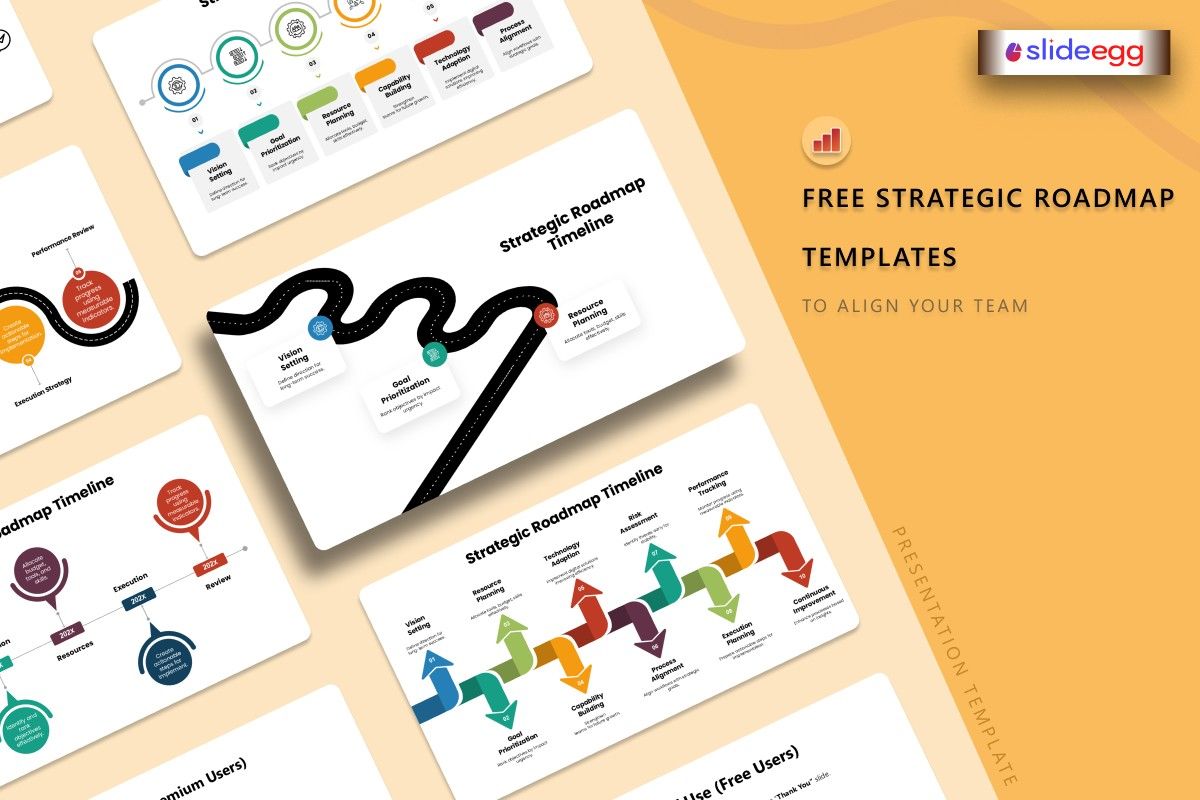
A strategic roadmap is the most important slide your leadership team will ever see. It turns a 3-year vision into a clear, action-oriented plan that everyone can rally behind — from the CEO to the newest hire. This guide shows you exactly how to build one, what to include, and where to find free strategic roadmap templates that make the job far easier.
The difference between a company that executes and one that drifts is often a single document: the strategic roadmap. Not a 60-page strategy report. Not a dense Excel Gantt chart. A visual, one-page (or one-slide) roadmap that answers: where are we going, what are the key milestones, and who is responsible for each phase?
Download a free strategic roadmap template from SlideEgg and you are already halfway there. The rest of this guide covers how to fill it in and present it effectively.
What Is a Strategic Roadmap?
A strategic roadmap is a visual plan that outlines a company’s or team’s long-term goals, the major initiatives required to achieve them, and the timeline over which they will be executed. Unlike a project roadmap (which focuses on a single project) or a product roadmap (which tracks feature development), a strategic roadmap operates at the organisational level — spanning 1 to 5 years.
Key Characteristics of a Strategic Roadmap
- Time horizon: 1–5 years, divided into quarterly or annual phases
- Audience: C-suite, board members, investors, department heads
- Focus: Strategic priorities, business goals, and major milestones
- Format: High-level — no granular task lists or individual assignments
Strategic Roadmap vs Project Roadmap — Key Difference
| Aspect | Strategic Roadmap | Project Roadmap |
| Scope | Entire organisation or business unit | Single project or initiative |
| Time frame | 1–5 years | Weeks to 12 months |
| Audience | Executives, board, investors | Project team, managers, clients |
| Level of detail | High-level priorities and phases | Detailed tasks, owners, deadlines |
| Frequency of update | Quarterly or annually | Weekly or bi-weekly |
Key Components of a Strategic Roadmap
A strong strategic roadmap slide always includes these five elements:
- Strategic pillars or themes: The 3–5 core areas your organisation is focusing on (e.g., Revenue Growth, Customer Experience, Operational Excellence).
- Time horizon: Clearly labelled phases — typically annual (Year 1, Year 2, Year 3) or quarterly.
- Key initiatives or milestones: The major programs of work sitting within each pillar, plotted against the timeline.
- Dependencies: Arrows or visual connectors showing which initiatives unlock or enable others.
- Ownership: Either the team, department, or person responsible for each pillar or initiative.
How to Build a Strategic Roadmap in PowerPoint
1. Define Your Strategic Pillars
Before opening PowerPoint, list your 3–5 strategic priorities for the planning period. These become the rows of your roadmap. Examples: Market Expansion, Product Innovation, Team Capability, Technology Infrastructure, Customer Retention.
2. Set Your Time Horizon and Phase Labels
Add columns for your time periods across the top — Year 1 / Year 2 / Year 3, or Q1–Q4 for an annual plan. Use a consistent column width. The timeline runs left to right. “Now” starts on the left; “future” is on the right.
3. Map Initiatives to Pillars and Phases
Place each major initiative as a labelled box or bar in the appropriate row (pillar) and column (time phase). Use a colour per pillar so the eye can track each strategic theme across the timeline. Keep initiative names to 4–6 words.
4. Add a “Now” Marker and Progress Indicators
Insert a vertical line or bold arrow marking today’s date. This instantly orients viewers. If some initiatives are already complete or in progress, shade them differently (grey for done, orange for in progress, blue for planned).
5. Add Vision Statement and KPIs at the Bottom
A one-line vision statement (“Where we will be in 3 years”) and 3–5 headline KPIs (Revenue target, customer NPS goal, market share) anchor the roadmap in measurable outcomes. These belong at the top or bottom of the slide as a footer/header strip.
When presenting a strategic roadmap to a board or investors, prepare a “Why now?” narrative for each pillar. Boards want to know the urgency behind each strategic bet — not just what you plan to do, but why this year specifically.
Free Strategic Roadmap Templates from SlideEgg
Strategic Planning Roadmap PowerPoint Template
Clean phased layout with strategic pillars, timeline bands, and milestone markers. Ideal for annual planning presentations.
Business Strategy Roadmap PowerPoint Template
Curved path design with milestones, goals, market analysis, and investment planning sections. Great for board presentations.
Strategic Roadmapping Process PowerPoint Template
Step-by-step process roadmap covering planning, prioritisation, execution, and optimisation phases.
Strategic Roadmap Category PowerPoint Template
Browse all strategic roadmap templates — data strategy, digital strategy, sales strategy, technology strategy, and more.
How to Present a Strategic Roadmap to Leadership
A strategic roadmap is only as powerful as its presentation. Here is how to walk leadership through it effectively:
- Start with the destination: Open with a one-sentence vision statement — “By the end of Year 3, we will be…” — before showing the roadmap.
- Explain the pillars first: Walk through each strategic pillar and why it matters before zooming into specific initiatives.
- Acknowledge trade-offs: Leadership will ask “Why is this a priority over that?” Prepare clear reasoning for each pillar’s position on the timeline.
- End with the first 90 days: Ground the long-term vision in immediate action. “What starts happening in the next 90 days” is the question every leader asks — answer it proactively.
“Strategy without a roadmap is just a wish list. A roadmap without a strategy is just a schedule. You need both.” — Common wisdom in OKR and strategic planning circles.
Download a free strategic roadmap template for PowerPoint, Google Slides, or Canva. Fully editable — customise pillars, timelines, and milestones in minutes.
Browse Strategic Roadmap Templates
Frequently Asked Questions
What is the difference between a strategic roadmap and a strategic plan?
A strategic plan is a comprehensive document covering goals, tactics, budgets, and risk management — often 20–60 pages. A strategic roadmap is the visual one-page (or one-slide) summary of that plan — showing priorities, phases, and milestones at a glance. The roadmap is the communication tool; the plan is the reference document.
How many strategic pillars should a roadmap have?
Three to five pillars is the optimal range. Fewer than three often means the strategy is not comprehensive enough. More than five means the organisation is spreading too thin and the roadmap becomes cluttered and difficult to present clearly.
How often should a strategic roadmap be updated?
A strategic roadmap should be reviewed quarterly and formally updated annually. Major market shifts, funding events, or leadership changes may require an off-cycle update. The roadmap should always reflect the current strategic reality — a stale roadmap is worse than no roadmap because it creates misalignment.
Can I use a strategic roadmap template for a startup?
Absolutely. Startups benefit enormously from strategic roadmaps, especially when pitching to investors. A clean 3-year strategic roadmap communicates to investors that the founding team thinks in phases — not just in the immediate product sprint. Use a 3-year timeline broken into annual phases rather than quarterly to keep it high-level for early-stage presentations.



