Customize Your Presentations Easily Using Free Canva Slides:
Get Creativity Inspired with SlideEgg's Sole Collection of Canva Slides. Our exclusive Free Canva templates are made to unleash all creativity so that you can make professional presentations without advanced design skills. You simply select your slide from the best presentation templates, and it will open directly inside Canva to be customized. With powerful tools and elements in Canva, creating great presentations has never been easier.
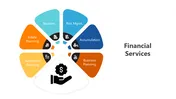
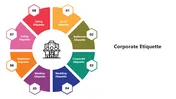

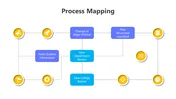
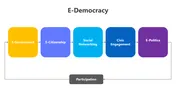

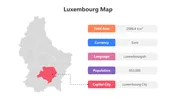

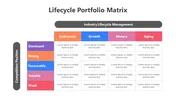
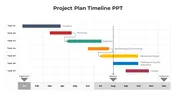
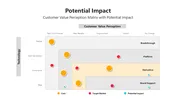

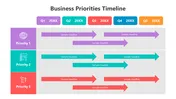

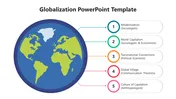

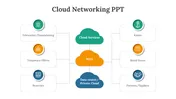
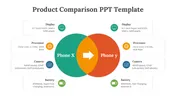
- Choose the Perfect Template: Start by browsing SlideEgg's library of presentation templates to find the perfect Canva slide for your project. After choosing one, click on the "Canva" icon in the download section. You will be presented with options to download in PowerPoint, make a copy to Google Slides, or import directly into Canva here. The "Canva" icon allows you to be taken directly into the Canva platform for immediate access and editing of the template.
- Seamless Integration: The template opens up directly in your workspace of Canva, so there are no more imports or conversions. This is surely a good usability feature since one can begin to get creative right away.
- Ready for Customization: Canva's intuitive design platform offers you customization of just almost any element on your slide. You can change: fonts, swap colors, add or change out graphics, and add any special content—your imagination is the limit!
- Save and Share: Once you've nailed the presentation, save it inside Canva. You can download your finished product in a host of formats, including PDF for documents, PNG or JPEG for images, and even animated GIFs for dynamic uses. Canva supports numerous ways to share creations, from producing public view links to embedding them on websites to even posting them directly on platforms like LinkedIn, Instagram, and Twitter.
- Easy importing: Make any design easily convertible into Google Slides or PowerPoint with SlideEgg's Canva Slides for more flexibility and usage across platforms.
- Easy Start: Save yourself from the blank canvas struggle. With professionally designed standards from SlideEgg's Canva Slides at the very beginning, you don't have to build from scratch.
- Instant Efficiency: Pre-designed templates will save you hours of formatting. Focus on your content and what you want the message to be.
- Professional Polish: Whether it is to create a sleek and modern design targeting different themes and industries, we have a wide collection of presentation templates to ensure that it will leave long-lasting impressions.
- Express Your Creativity: The templates will act as a launch pad to your creativity since you can easily tinker with every element—be it font, color, graphics, and layout—to come up with exactly what bears your brand or message.
- Collaborate with Ease: Canva can allow several users to work on a single presentation, editing and fine-tuning the same simultaneously, which makes teamwork flawless.
- No Design Expertise: Made for easy usage, SlideEgg's Canva Slides is helpful for any and every user, either with or without a background in design.
- Easy-to-use Interface: Canva drag-and-drop is liberal for anybody desiring to design, no matter the expertise either.
- Flexibility in Cloud-Based Work: Access and create any of your presentations on any device with a connection to the internet without any concerns about software compatibility.
- Uninterrupted Collaboration: Its real-time collaboration features will make for an easier time working on projects with teams.
- Unlimited Creativity: Canva extends your creativity not only in making presentations but also in designing infographics, social media graphics, and many others.
We're here to help you!
What are Canva Slides?
These are pre-designed presentation templates specifically built for use within Canva, the popular online design platform. They offer a professional starting point for your presentations, allowing for easy customization.
How do I get a Canva Slide from SlideEgg?
Browse our diverse themes and design styles to find the perfect match for your presentation. Once you've found the ideal Canva Slide, locate the options displayed on the right side. Click on the "Canva" option. It will directly open the chosen Slide within your Canva workspace.
How do I use a Canva Presentation Slide?
These slides will automatically open within your Canva workspace once you click on the Canva option. You can then personalize it with fonts, colors, graphics, and your content.
Can I edit the Canva Slide after getting it from SlideEgg?
Absolutely! One of the benefits of our Canva Slides is their full customizability in the Canva platform. Edit fonts, colors, layouts, and graphics to match your specific presentation.
Do I need a Canva Pro account to use these templates?
Our slides are compatible with the free version of Canva. However, some premium features within Canva might require a Pro subscription.
Why choose Canva Slides over PowerPoint or Google Slides?
Canva offers a user-friendly interface, cloud-based flexibility for access anywhere, seamless collaboration features, and design freedom beyond traditional slides.
What file formats can I export my finished presentation from Canva?
Canva allows exporting presentations in various formats to suit your needs. These include PDF, PNG/JPEG, and even animated GIFs.
Can I add animations and transitions to my Canva Slide presentation?
Yes! Canva offers a range of animations and transitions to elevate your presentation and keep your audience engaged.
Can I collaborate with others on a presentation using Canva Slides?
Absolutely! Canva facilitates seamless collaboration, allowing multiple users to edit and refine the slides simultaneously.
How can I find the perfect Canva Slide for my presentation?
SlideEgg offers a large collection with diverse themes. Browse their categories or use keywords to find a template that complements your presentation's topic and style.
As a SlideEgg Premium member, can I access all Canva slides and edit them in Canva?
Yes! Being a SlideEgg Premium member grants you access to all our Canva slides. You can get these slides and import them directly into your Canva account for editing. While you can use our slides within Canva, some advanced editing features within Canva itself might require a separate Canva Pro subscription. These features are not specific to our slides but are part of Canva's premium offerings.