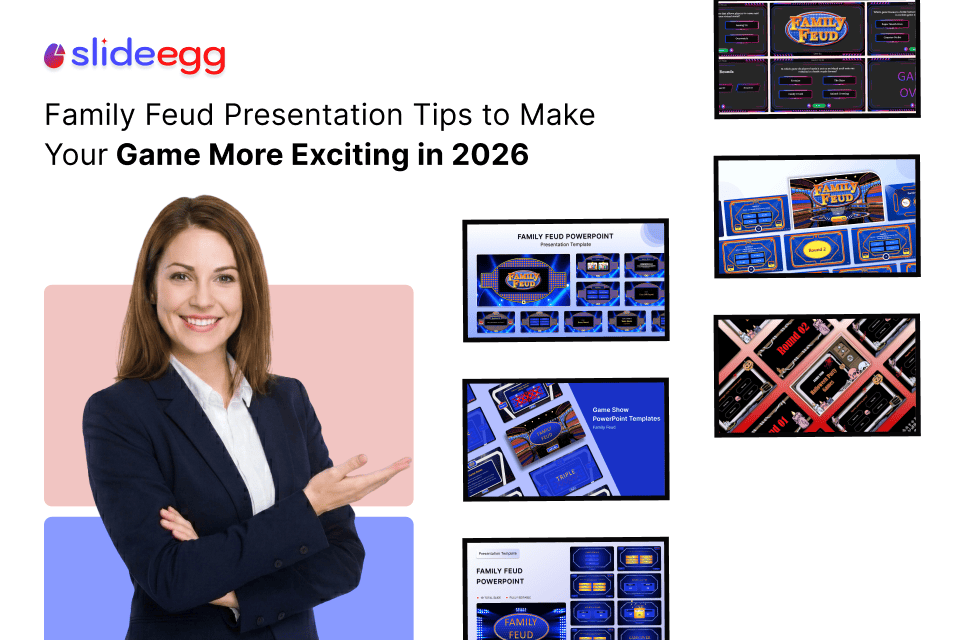
Family Feud-style games have become one of the most engaging ways to bring people together in classrooms, workplaces, and events. Whether you are a teacher trying to make revision sessions more interactive, an HR professional planning a team-building activity, or an event planner organizing a fun gathering, this game format can instantly lift the energy in the room.
But the difference between a “good game” and a “memorable experience” is how the presentation is designed and delivered. In this guide, you’ll learn simple, practical ways to improve your Family Feud presentation so it feels smooth, exciting, and easy for everyone to follow.
Why Family Feud Works So Well in Presentations
Family Feud works because it combines competition, surprise, and participation. People don’t just watch—they think, guess, and react.
It is widely used in:
- Classroom learning activities
- Employee onboarding sessions
- Corporate training games
- Social events and parties
- Student group presentations
When designed well with a professional PowerPoint template or a free Google Slides template, it becomes an interactive experience rather than just a slideshow.
Tips to Make Your Family Feud Game More Exciting in 2026
1. Start with a Strong Warm-Up
Before starting the game, spend 2–3 minutes warming up the audience. You can:
- Ask a simple, fun question
- Do a quick poll
- Share a light example round
This helps participants relax and engage faster.
2. Keep the Rules Very Simple
One of the biggest mistakes is overcomplicating rules. Keep it short:
| Rule | Explanation |
| One guess per turn | Each team answers one at a time |
| Top answers win | Most popular responses score points |
| Limited time | Each answer must be quick |
| No repeated answers | Keeps the game fair |
Simple rules help everyone, including students or first-time participants, follow easily.
3. Use Visual Clarity in Slides
Your slides should guide attention, not confuse it. A clean design improves focus.
Use:
- Large fonts
- Clear answer boxes
- High contrast colors
- Minimal text per slide
A free PowerPoint template or free Google Slides designed for games can help you build this structure quickly without design stress.
4. Add a Countdown Timer for Excitement
Time pressure makes the game more thrilling. Even a simple 10–15 second countdown increases energy in the room.
You can include:
- Animated timer bar
- Clock sound effect
- Visual countdown numbers
This small change makes the experience feel dynamic and competitive.
5. Encourage Audience Participation
Don’t limit engagement to teams only. Let the audience:
- Guess answers silently
- React to surprising answers
- Vote on “most likely answer” before revealing
This turns your presentation into an interactive presentation tool experience where everyone is involved.
6. Use Real-Life and Relatable Questions
The quality of your questions matters more than anything else.
Good examples:
- “Top excuses people give for being late to work.”
- “Most common items found in a student’s bag”
- “Popular snacks during study time”
These questions work well because they are relatable and easy to answer.
7. Add Small Sound or Visual Effects
Light effects improve engagement when used carefully:
- Ding sound for correct answers
- Soft buzz for wrong answers
- Slide transitions for reveal moments
Avoid overusing effects—keep them clean and purposeful.
Example Game Flow
Here’s a simple structure you can follow:
- Introduction slide
- Rule explanation
- Warm-up question
- Round 1 question
- Answer reveal slide
- Score update
- Next round
- Final winner slide
This structure works well for both classrooms and corporate sessions.
Quick Checklist for a Better Game
- Are your rules easy to understand?
- Are your slides visually clean?
- Are your questions relatable?
- Are participants actively involved?
- Is timing controlled properly?
If the answer is yes, your game will naturally feel more engaging.
Tips for Different Users
Teachers
- Use subject-based questions (history, science, vocabulary)
- Encourage group discussion before answering
HR Professionals
- Focus on workplace behavior questions
- Use it as an icebreaker during onboarding
Event Planners
- Add fun, emotional, or trending topics
- Use music and countdown effects
Students
- Keep questions simple and academic-related
- Use it for revision sessions
Presentation Creators
- Focus on slide clarity and flow
- Use structured layouts for better storytelling
Common Mistakes vs Better Approach
| Common Mistake | Better Approach |
| Too many rules | Keep rules simple |
| Cluttered slides | Clean and minimal design |
| Difficult questions | Use relatable topics |
| No timing system | Add a countdown timer |
| Passive audience | Encourage participation |
FAQ
1. What is the best way to make Family Feud presentations engaging?
Keep the design simple, use relatable questions, and involve the audience in guessing answers before revealing them.
2. Can I use PowerPoint for Family Feud games?
Yes, PowerPoint works very well. Many people use a professional PowerPoint template to quickly build structured game slides.
3. Is Google Slides a good option for this game?
Yes, a free Google Slides is a great option because it allows easy sharing and real-time editing.
4. How many rounds should a Family Feud game have?
Usually, 3–5 rounds work best, depending on your audience and time limit.
5. Can this be used in corporate training?
Yes, it is widely used in HR sessions and onboarding because it encourages participation and breaks the ice.
Final Thoughts
A well-designed Family Feud presentation is not just about slides—it is about creating energy, interaction, and shared moments. When you focus on clarity, participation, and timing, the game naturally becomes more enjoyable for everyone.
With the right structure and thoughtful design, even a simple presentation can turn into a memorable group experience that people enjoy and remember.