Create Professional Presentations with Free Google Slides
Google Slides has become very popular over the years in the educational setting, the business world, and in creative fields. This is one of the strong tools that is free for creating and delivering presentations without any hustle. At SlideEgg, we have adopted this as a flexible tool & created free Google Slides that ensure a hassle-free professional presentation creation. You can edit these Google Slides. You can also put in your own words, images, and videos to make it even more exciting. Using these templates has several good points, like being easy to use, easily accessible, and free to download. Try now!



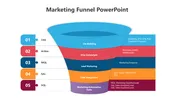


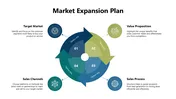
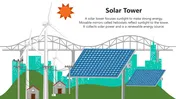
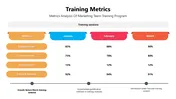

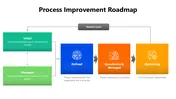



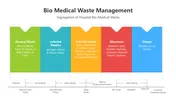
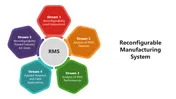

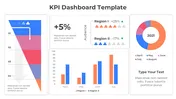


- Elevate Your Presentation : Our premium selection of Presentation templates is created with utmost care to aid you in making a powerful impact. It can be made in a classroom, boardroom, or an online meeting; these templates guarantee you create a professional look to your content.
- Tailored for All Audiences : The best templates that are appropriate for any audience and occasion are offered by SlideEgg. Regardless of whether you’re a student presenting a project to the class, a teacher going through concepts to your learners or a business executive presenting a new business strategy to the team, there will be a template that you feel best suits your needs.
- Easy Access and Editing : In the case of SlideEgg, the templates that are available have been compatible with Google Slides. All you have to do is search through thousands of templates, pick the one you want and then use it immediately in Google Drive. From there You can then select and adjust almost every detail on the site – the font type and color, graphics, logos – to reflect the company’s image or a specific campaign.
- Collaboration Made Simple : Another advantage of interactive and cooperative applications of Google Slides is that they do not hinder your teamwork if your colleagues are not physically next to you. All of the SlideEgg templates fully support this sort of work allowing for seamless teamwork on presentations.
- Customizable Design : All of our Free Google Slides templates are fully customizable. It is very simple to change colours, fonts, backgrounds and layout to match your company or the mood you want to create for your presentation. Such flexibility lets you come up with OUTSTANDING presentations that stand to deliver the intended message or goal.
- Dynamic Animations and Transitions : Google Slides Themes presentations have many features that are added to presentations as animations and transitions. They can work with a number of dynamic effects that will maintain your viewer’s attention and make your content more memorable.
- Select the Perfect Template : Check out the number of templates available here and choose the one most suitable for your project. It will automatically open as Google Slides where you can customize it by just a single click.
- Customize to Your Needs : When using Google Slides, it is easy to alter aspects of the chosen template as you make your presentation. With Animaker, modify the layout and color as per your desire and also incorporate the content to create your presentation.
- Collaboration and Presentation : When you are done with your presentation, you can export the presentation to Google Drive, or you can email the presentation immediately to your audience or you present your presentation directly from Google Slides. Google Slides provides the user with several directions of sharing the presentation thus making it easily accessible to everyone.
- Time-Saving : Our templates were pre-created for you which means you don’t waste time creating beautiful designs, but instead dedicate your time to what your message is and how best to spread it.
- Professional Quality : Every template is crafted with care and great attention to detail giving them a professional and polished look that will strike a chord with your target audience.
- Flexible and Versatile : Whether you are doing business presentations, creating educational material or doing creative work, our templates are flexible enough to meet every need.
We're here to help you!
What are Google Slides themes?
Google Slides themes are pre-designed layouts that you can use to create professional-looking presentations. They include a variety of elements, such as fonts, colors, and backgrounds, that are all coordinated to create a cohesive look.
How can I use a Google Slides theme?
To use a Google Slides theme, simply click on it and it will be applied to your presentation. You can then customize the theme to match your specific needs.
How do I customize the free Google Slides themes?
Customizing is easy! Click on the element you want to change, and use the toolbar to modify text, images, and other elements. You can also adjust the color scheme and fonts to match your preferences.
What are the advantages of using a Google Slides themes?
There are many benefits to using a Google Slides theme. They can help you to: 1.Save valuable time and effort by furnishing you with a pre-designed layout. 2.Create professional-looking presentations. 3.Make your presentations more visually appealing. 4.Ensure the consistency of your presentations with the identity of your brand.
What kind of free Google Slides themes are available?
There are many different types of free Google Slides themes available.Some of the most popular types include: 1.Business themes: These themes are designed for professional presentations. They typically have a clean and simple design with a focus on readability. 2.Education themes: These themes are designed for educational presentations. They often use bright colors and fun graphics. 3.Creative themes: These themes are designed for creative presentations. They often have a more unique and eye-catching design.
How often are new themes added to the collection?
New themes are added to the collection regularly.
Are the themes suitable for various topics and industries?
Yes, the themes are suitable for a variety of topics and industries. There are themes available for a wide range of interests, including business, education, technology, and more.
Do I need any special software to use these themes?
No, you do not need any special software to use these themes. You can use our Google Slides themes with just a Google account.
What makes your Google Slides Themes different from others?
There are a few things that make our Google Slides themes different from others: 1.Quality: Our themes are high-quality and professionally designed. 2.Variety: We offer a wide variety of themes to choose from. 3.Ease of use: Our themes are easy to use and customize. 4.Free: Our themes are free to use.