Reverse Engineering PowerPoint And Canva Templates
Nodes

Colors



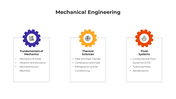









Reverse Engineering PowerPoint, Google Slides, and Canva Template
Reverse Engineering is a powerful technique used to analyze the structure, functionality, and behavior of a product, software, or system—often to uncover its underlying components or improve existing designs. Whether you’re exploring system analysis, software decompilation, or product teardown, reverse engineering plays a critical role in innovation, troubleshooting, and cybersecurity. It helps professionals understand legacy systems, ensure compliance, or strengthen software security by identifying potential vulnerabilities.
Purpose Of The Slides
This template is thoughtfully designed to help users explain the entire reverse engineering process with clarity. From visualizing code disassembly to outlining mechanical breakdowns or digital audits, the slides allow you to present concepts like security auditing, compliance inspection, and IP evaluation in a visually structured format.
Who Can Use It?
This single slide is ideal for cybersecurity analysts, engineering students, IT professionals, penetration testers, tech educators, or any professional needing to convey reverse engineering concepts effectively.
Special Key Features
The slide is enriched with editable infographics, device schematics, and layered visuals, all set in a modern orange theme. It’s fully customizable and ideal for classroom use, technical training, or executive briefings.
Features of this template
- 100% customizable slides and easy to download.
- The slides contain 16:9 and 4:3 formats.
- Easy to change the colors quickly.
- Highly compatible with PowerPoint, Google Slides, and Canva templates.
More Collections for Reverse Engineering PowerPoint
Recommended based on this template.



Similar Templates to Reverse Engineering PowerPoint














Showing20 of69,218 templates