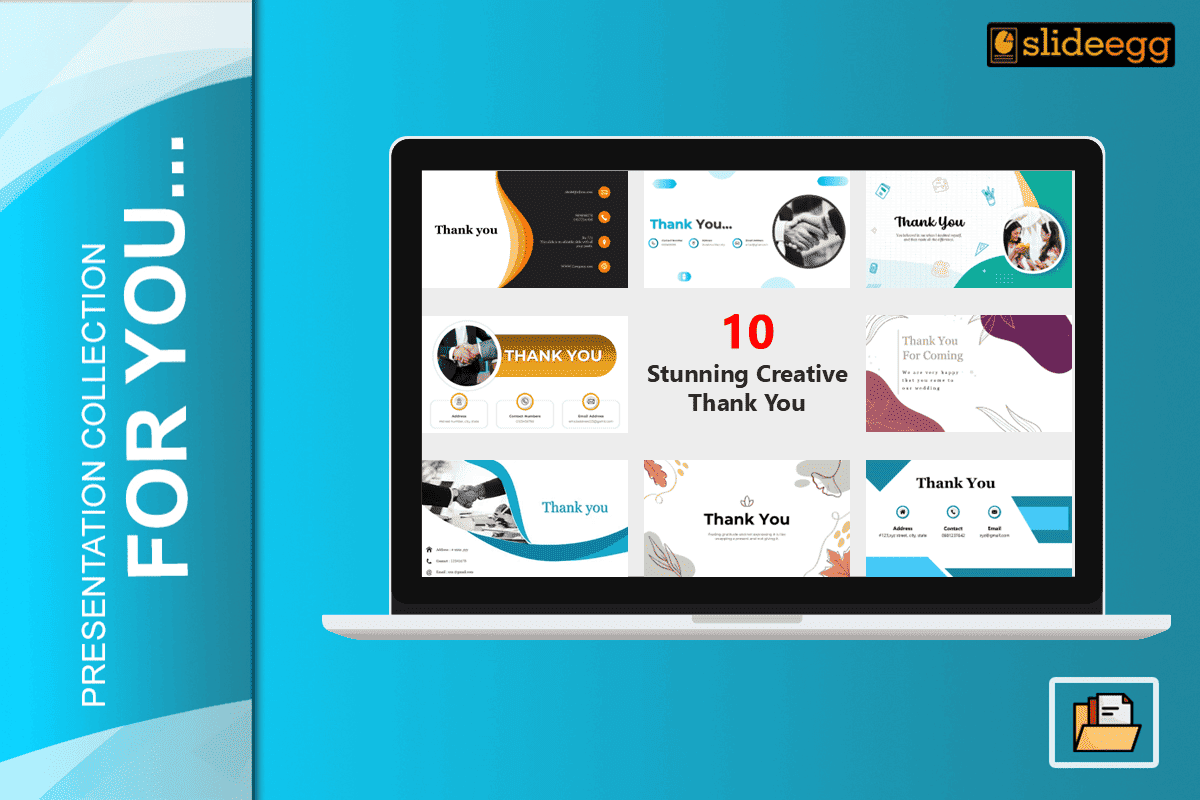
“A great talk needs a great finish. Turn your goodbye into a new deal today.”
Your final slide is your most important asset for networking. Most speakers think a presentation ends when they stop talking. However, the real work starts during the Q&A session. This is when your “Thank You” slide stays on the screen for 10 or 15 minutes. If that slide is blank, you are losing leads.
In 2026, top experts treat the closing slide as a lead-generation tool. It must look sharp on 4K screens and work well in hybrid meetings. This collection of creative and personal thank you PowerPoint templates helps you turn your exit into a new opportunity.
1. The Geometric Modernist

This Thank You for PPT Slide utilizes a minimal white backdrop accented by teal and yellow geometric arcs.
- Design Logic: The layout uses “visual framing.” Large aqua circles and yellow semicircles sit at the edges of the slide. Teal and yellow “U-shaped” hooks are scattered around the border. This design creates a vignette effect. It forces the viewer’s eye to stay on the bold “Thank You!” text in the center.
- Technical Value: The white background offers maximum luminance contrast. This ensures the dark grey text is easy to read from the back of a large room. These shapes are vector-based assets. They stay perfectly sharp on 4K projectors without any “fuzziness” or pixelation.
- Best For: Creative reviews or school seminars. The mix of calm teal and energetic yellow provides a vibrant but clean finish.
2. The Golden Professional

The Thank You Slide for PPT (Golden) leverages a high-contrast black backdrop with premium gold-tone elements.
- Design Logic: The central “Thank You!” script is enclosed within a gold circular border made of interlocking geometric links. Gold glitter clusters are placed in the top-right and bottom-left corners to create a diagonal balance. This design uses a centered focal point to ensure the audience focuses on the core message.
- Technical Value: The true-black background is OLED-optimized. This reduces power consumption on modern displays and minimizes eye strain for remote viewers in low-light settings. The gold-on-black color scheme provides a high contrast ratio, ensuring the cursive script is legible on lower-resolution screens.
- Best For: Luxury brand pitches or executive board summaries. The gold-and-black aesthetic signals authority and high value.
3. The Gold Partnership Frame
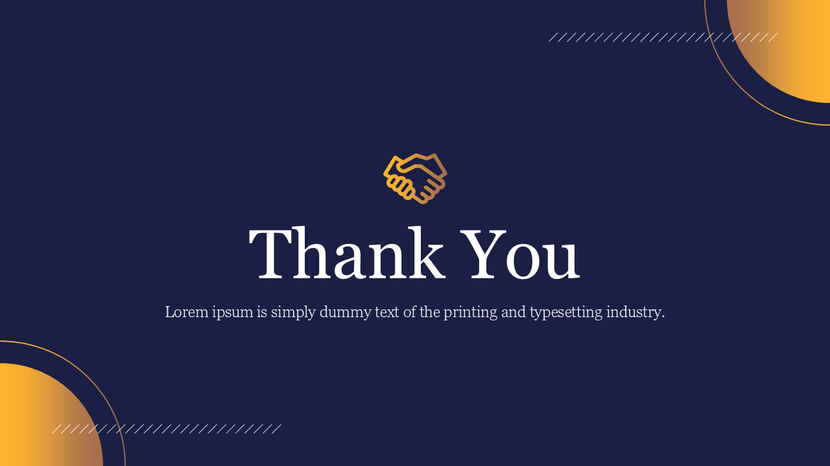
This Best Thank You Slide for PPT template utilizes a deep navy blue background paired with sophisticated gold-to-orange gradient accents.
- Design Logic: Vibrant gold-to-orange gradient circles anchor the top-right and bottom-left corners to create a balanced visual frame. A minimal gold handshake icon sits directly above the main text to symbolize professional agreement and mutual trust. The bold white serif font for the “Thank You” message provides a stable and authoritative feel.
- Technical Value: The dark navy backdrop minimizes light scatter, making the white text pop on both digital screens and large-scale projectors. This design is particularly effective for high-brightness environments where lighter slides might appear washed out. The central icon and text alignment focus the audience’s attention during the final seconds of a talk.
- Best For: Executive summaries, B2B partnership pitches, or final project approvals. The color palette signals corporate reliability and high-end value.
4. The Organic Minimalist

This Thank You PPT Template utilizes an off-white backdrop accented by hand-drawn floral and leaf motifs in muted earth tones.
- Design Logic: Soft sage green, terracotta orange, and beige organic shapes frame the corners of the slide. A small brown three-leaf icon sits directly above the bold black “Thank You” heading to provide a central anchor. The inclusion of a meaningful quote below the main text uses the space to create a thoughtful and human connection.
- Technical Value: The muted color palette is specifically designed for visual comfort. It prevents “screen fatigue” during extended Q&A sessions. The high-contrast black serif font ensures the message and the subtext remain perfectly legible, even when viewed from a distance or on lower-resolution screens.
- Best For: Wellness workshops, environmental reports, or non-profit presentations. The organic aesthetic signals approachability and sincerity.
5. The Artistic Scroll

This Thank You Slide for PPT utilizes a clean white background accented by elegant, flowing floral patterns.
- Design Logic: A large white circular frame acts as the primary focal point on the right side of the slide. Intricate purple and magenta floral scrolls and leaf patterns originate from behind this circle, spreading gracefully across the left half. The “Thank You” message is written in a soft script font with a teal-to-purple gradient to complement the artwork.
- Technical Value: The placement of the circular button on the right third of the slide creates a balanced “Rule of Thirds” composition. This leaves the white space on the left open for a secondary call to action or a personal sign-off. The vibrant purple and magenta tones are calibrated to remain vivid on projectors with lower color accuracy, ensuring the artistic details don’t fade.
- Best For: Artistic portfolios, high-end fashion presentations, or personal event decks. This aesthetic signals creativity and professional elegance.
6. The Professional Handshake Arc
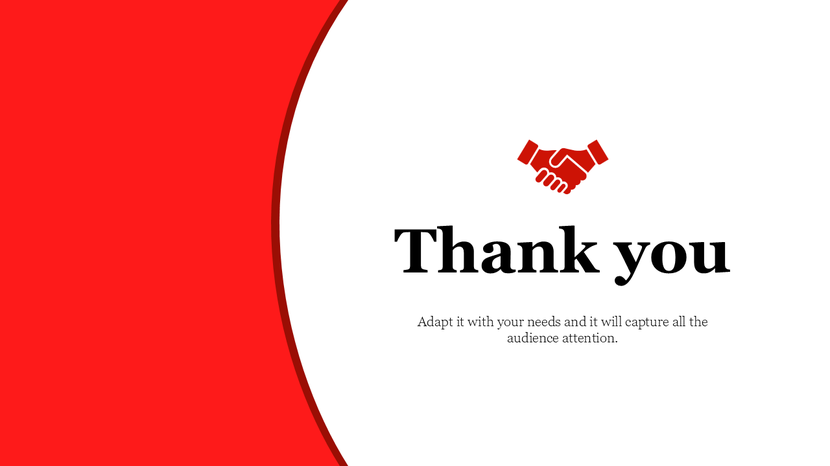
This Thank You for PPT Presentation template features a stark, high-contrast split-screen design using red and white.
- Design Logic: A bold red arc cuts vertically across the left side of the slide, creating a strong visual anchor. The right side is a clean white space that holds the primary message. A red handshake icon is placed directly above the bold black “Thank you” text. This layout uses a center-right focal point to deliver a clear and professional sign-off.
- Technical Value: The extreme contrast between the red and white sections ensures the slide remains visible even on low-quality projectors. The large red block on the left provides a balanced weight to the text on the right. This design is technically optimized for hybrid meetings, as it keeps all critical text in a “safe zone” that is unlikely to be covered by interface overlays or video bubbles.
- Best For: Corporate partnerships, sales closings, or project handovers. The handshake icon and bold palette signal confidence and mutual agreement.
7. The Trusted Partnership

The Thank You Slide utilizes a vibrant teal background accented with soft, organic shapes and a realistic handshake visual.
- Design Logic: A high-resolution photo of a handshake is integrated into a circular frame on the left side of the slide. This visual is balanced by bold white “Thank You!” text on the right. Muted teal blobs, wavy lines, and a dot-grid pattern are scattered across the backdrop to create a modern, layered feel without distracting from the main message.
- Technical Value: Teal is chromatically associated with clarity and professionalism. The use of a circular mask for the photo provides a clean, modern alternative to standard rectangular images. The high-contrast white text is specifically placed over the solid teal area to ensure maximum legibility for viewers at any distance. This layout also leaves ample room for a QR code or social media handle in the bottom-right corner.
- Best For: Corporate project closings, B2B meetings, or technical consultancies. The realistic handshake and clean geometric accents signal reliability and successful collaboration.
8. The Professional Contact Hub

The Thank You PowerPoint Slide features a clean, white-space-dominant layout with a modern geometric panel on the right.
- Design Logic: The slide is divided into a clear messaging area on the left and a decorative geometric panel on the right. Large pink circles, red triangles, and dot-grid patterns create a sophisticated “dashboard” aesthetic. A dedicated logo placeholder in the top-left corner ensures your brand remains the final authority on screen.
- Technical Value: This template is engineered for information retention. By placing the contact details (phone, email, and website) in a clean footer with distinct icons, you ensure your audience can quickly capture your info without it clashing with the main message. The use of pink and red geometric shapes provides a vibrant contrast to the black-on-white text, meeting high accessibility standards for legibility.
- Best For: Webinars, portfolio exits, or corporate reports. The integrated contact footer makes this the perfect choice for lead generation and professional networking.
9. The Dynamic Memphis Frame

The Thank You Slide utilizes a clean white backdrop accented with vibrant yellow geometric shapes and high-contrast patterns.
- Design Logic: This template uses a “Memphis-style” design language. Large yellow circles and triangles are placed in the corners to create an energetic, multi-layered frame. Smaller black-and-white patterns—including dot grids, zig-zag lines, and triangular clusters—are scattered throughout to add depth and movement. This framing effectively guides the viewer’s eye toward the bold, centered “Thank You!” message.
- Technical Value: The bright yellow elements offer maximum visibility and “pop” on modern high-DPI displays. The scattered patterns provide visual interest without creating “visual noise” that could distract from the subtext. By maintaining a white central area, the slide ensures that any secondary text or call-to-action remains perfectly legible even in bright rooms.
- Best For: Creative brainstorming sessions, marketing pitches, or educational workshops. The playful yet structured aesthetic signals innovation and high energy.
10. The Fluid Motion Aesthetic
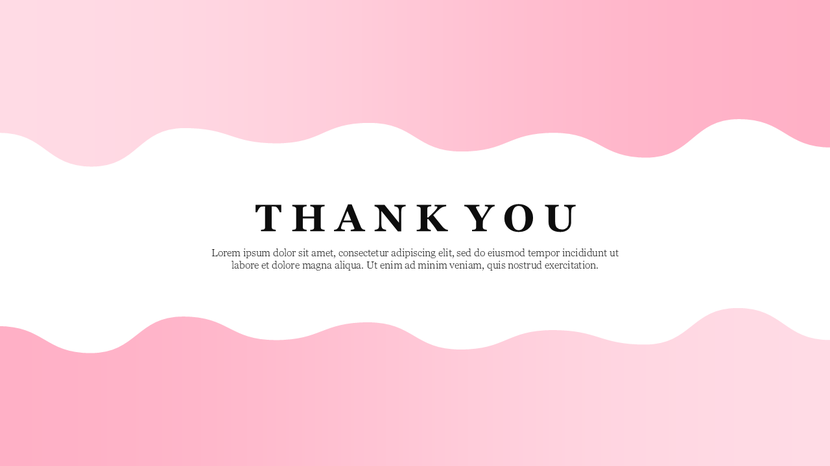
This Thank You Animation for PowerPoint Presentations template utilizes a vibrant pink gradient background with a high-contrast white wavy focal band.
- Design Logic: The central white wave acts as a “visual separator,” creating a clean space for the bold, black serif “THANK YOU” message. The pink-to-peach gradient provides a soft, modern energy that frames the text without creating visual friction.
- Technical Value: This slide is designed for Animation Paths. The wavy white bands are separate vector layers, allowing them to be animated with a “Smooth Wave” or “Float” effect in PowerPoint. This subtle motion keeps the audience engaged during long Q&A sessions. The serif font choice provides a high level of legibility, even with the detailed subtext included below.
- Best For: Fashion presentations, wellness workshops, or creative agency pitches. The pink palette and fluid shapes signal creativity and approachability.
Expert Tips for a Professional Close
Closing a talk is an art. In 2026, you must think about how people view your slides. Here are three expert tips to help you succeed:
- Use Dynamic QR Codes: Instead of just writing your email, use a QR code. This lets people scan your info in one second. It also lets you track how many people visited your site.
- Avoid the “Video Block”: Many virtual platforms place a video of the speaker in the corner. Always keep your contact info in the center or left to avoid being covered.
- End with a Question: Your thank-you slide should not be the end of the talk. It should be the start of the chat. Use your slide to prompt the first question from the audience.
The Psychology of Color in Closings
Color affects how people feel. When you choose a professional PowerPoint template, pick a color that matches your goal:
- Blue: Best for building trust.
- Red: Best for driving sales and urgent action.
- Gold/Black: Best for showing luxury and status.
- Purple: Best for showing innovation and fresh ideas.
- White/Gray: Best for showing honesty and clarity.
Conclusion
A great talk needs a great finish. By using these 10 stunning creative thank you slides, you ensure your final impression is a winner. Whether you want the energy of teal curves or the trust of a blue gradient, the right slide turns a goodbye into a new deal.
Stop using boring white slides. Use your closing as a tool to win your audience. Visit SlideEgg today to find the perfect template for your next big win!