Creating an education presentation can feel harder than it should. You know your subject, you know what your audience needs to learn, but turning that into clear, engaging slides is often the difficult part. Most teachers, tutors, and trainers are not trained designers, and they should not have to be. A good education presentation does not need to look overly polished or complicated. It needs to be clear, well-structured, and easy for people to follow.
The success of an education presentation often depends on how clearly and confidently the message is delivered from the very beginning. This guide explores how to create an effective education presentation in 2026, whether you are teaching in a classroom, leading a university lecture, delivering professional training, or developing e-learning content from home.
What Makes a Good Education Presentation?
Before jumping into the how, it helps to understand the what. A good education presentation does three things well:
• It makes the topic easy to understand
• It keeps the audience engaged from start to finish
• It gives learners something to take away and remember
That is it. You do not need flashy animations or complex graphics. You need structure, clarity, and a design that supports your content rather than fighting against it.
Step-by-Step: How to Build Your Education Presentation
1. Start With Your Learning Goal
Ask yourself one question before you open any app: What should my audience know or be able to do by the end of this? Write that down. Every slide you create should connect back to that answer. If a slide does not help you reach that goal, it probably does not need to be there.
2. Plan Your Structure First
Think of your presentation in three parts. The opening sets the scene and tells learners what they are about to learn. The middle covers the actual content, broken into clear sections. The close brings it all together with a summary, activity, or reflection. A simple structure like this keeps your audience on track and makes your job as a presenter much easier.
3. Choose the Right Template
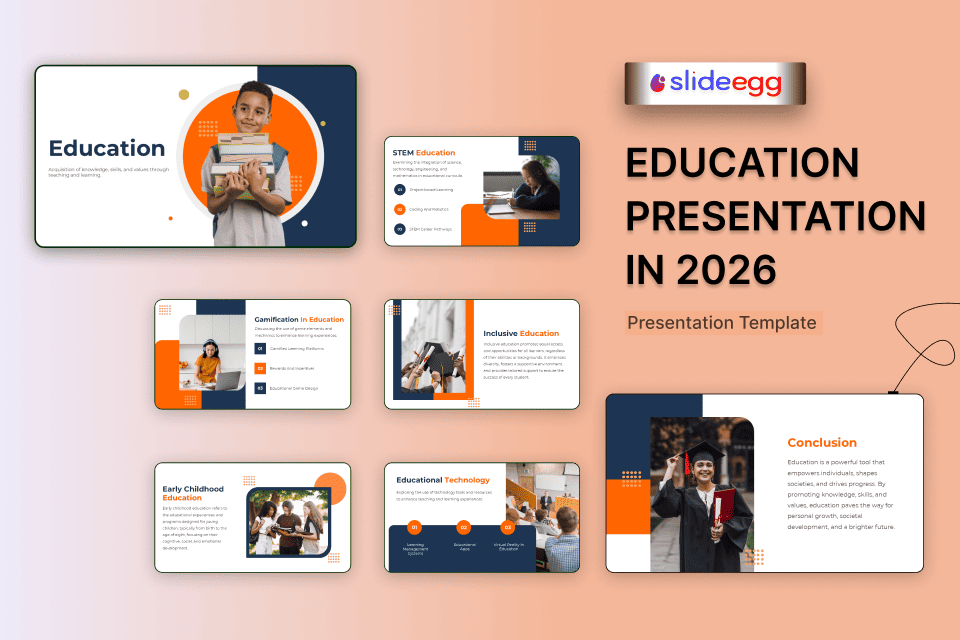
This is where a lot of educators save themselves a massive amount of time. Instead of building slides from scratch, start with education PowerPoint templates that already look good. Free PowerPoint Templates and Free Google Slides are widely available and cover almost every subject and age group you can think of.
If you want a polished look without the time investment, Professional PowerPoint Templates give you a more refined finish. These are especially handy for college lectures, training sessions, or any setting where presentation quality reflects on you professionally.
4. Keep Each Slide Focused
One idea per slide is a rule that holds up well in practice. When slides are cluttered, learners do not know where to look. Aim for short headings, a few supporting points, and one visual if it adds value. White space is your friend. A clean slide reads better and sticks in the memory longer.
5. Add Visuals That Actually Help
Images, diagrams, and icons work well when they explain something that words alone cannot. A diagram of the human digestive system (often found in health education templates), a simple flowchart of a process, or a map showing a historical event all add genuine value. Avoid purely decorative images and add nothing to the learning.
6. Consider Going Interactive
In 2026, the bar for audience engagement has risen quite a bit. Learners, whether in school or the workplace, respond better when they feel involved rather than talked at. An interactive presentation tool lets you add live polls, quick quizzes, and real-time Q&A directly into your slides. This works both in person and online, and it gives you immediate feedback on whether people are actually following along.
Who Uses Education Presentations and How
Here is a quick look at how different educators use presentation tools day to day:
| Who Benefits | How They Use It | Best Tool to Use |
| School Teachers | Classroom lessons | Free PowerPoint Templates |
| College Professors | Lectures & seminars | Professional PPT Templates |
| Online Tutors | E-learning courses | Free Google Slides |
| Corporate Trainers | Staff training sessions | Interactive Presentation Tools |
Final Thoughts
Building an effective education presentation does not need to become a stressful design task. What really matters is having a clear goal, organizing your ideas in the right order, and shaping each slide in a way your audience can easily follow. When the content is thoughtful, and the structure makes sense, the presentation becomes far more useful than one that only looks polished.
You can use Free PowerPoint Templates, Free Google Slides themes, or a Professional PowerPoint Template. That part is secondary. The real value comes from how clearly you explain the topic and how well each slide supports learning instead of distracting from it. A strong education presentation helps people understand, stay focused, and remember the main points.
Start simple. Keep each slide focused. Let the lesson lead the design, not the other way around. That is what makes a presentation feel clear, meaningful, and worth paying attention to.
FAQ
1)Do I need design skills to create an education presentation?
No, ready-made designs make it easy to build a clear presentation with your own content.
2)How many slides should an educational presentation have?
For a 30-minute lesson, 10 to 15 focused slides are usually enough.
3) Can I use the same template for different subjects?
Yes, one good layout can be reused for different subjects by updating the content and visuals.
4) Are Free Google Slides good enough for professional use?
Yes, many educators use them because they are clean, practical, and easy to share.
5) Can I use these templates for online teaching?
Yes, they work well for online classes and are easy to present on virtual meeting platforms.