
In a business environment, the final slide is not a “goodbye”; it is a Passive Sales Agent. During executive Q&A sessions, this slide often stays on the screen for 10 to 20 minutes. In that time, stakeholders are judging your attention to detail, your brand’s stability, and your accessibility for follow-ups.
A generic “Thank You” is a wasted opportunity to close the loop on a professional deal.
The Boardroom Blueprint: 5 Pillars of Strategic Sign-Offs
To transform your closing slide from a polite formality into a functional business tool, you must prioritize credibility and retention over simple etiquette. A high-performance business thank you slide serves as the anchor for your final impression, ensuring the transition from presentation to partnership is seamless.
1. The “15-Minute Window” Strategy

Unlike personal webinars, business meetings often involve deep-dive discussions while the final slide remains visible. Your slide must act as a Background Anchor that:
- Facilitates Instant CRM Entry: Providing a direct path to your sales funnel.
- Reinforces Corporate Compliance: Using standardized brand assets to signal institutional reliability.
- Supports Stakeholder Recall: Ensuring your name and title are clear to every decision-maker in the room.
2. Shift to “Objective-Based” Sign-offs
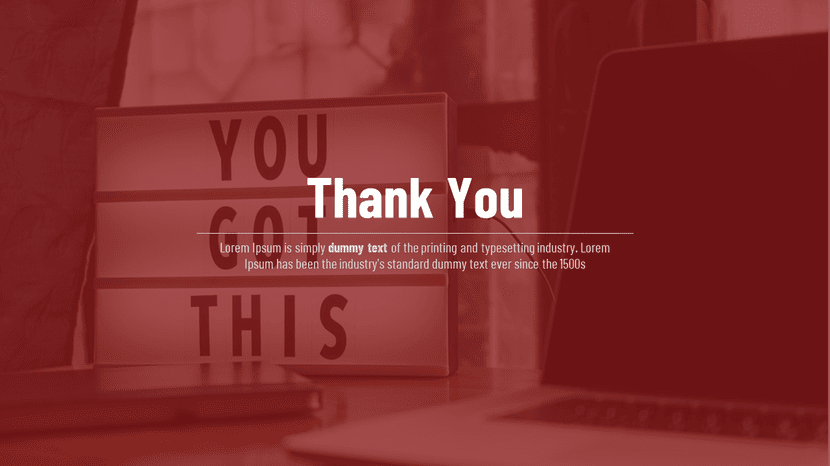
Stop using passive social graces. Business audiences respond to clarity and direction.
- “Review the Technical Specifications”: Use this for engineering or product pitches.
- “Final Strategy Discussion”: Perfect for internal leadership or board reviews.
- “Download the Full Proposal”: The ultimate CTA for sales reviews.
3. High-Contrast “Executive” Legibility

Executives often view presentations in varied lighting, from sun-drenched offices to dimmed auditoriums.
- The Distance Rule: Your primary contact point must pass the “Back of the Room” test. Use at least 24pt font for critical data.
- Optical Comfort: Use high-contrast color pairings (Deep Navy/White or Charcoal/Amber) to prevent eye fatigue during long discussions.
4. Branding for Institutional Trust

On a personal slide, the logo is an afterthought. In business, it is a Trust Signal.
- Standardized Alignment: Match the logo placement to your company’s internal style guide exactly.
- Tone-Match Typography: Use the same professional font family (e.g., Helvetica, Calibri, or custom corporate fonts) used in the Executive Summary.
5. Integrating the “Frictionless” QR Gateway

Remove the manual labor of follow-ups. In 2026, typing an email address is a barrier to entry.
- The Digital Bridge: Embed a high-resolution QR code that links directly to a shared project folder, a LinkedIn company page, or a HubSpot booking link.
- Visual Balance: Place the code using a structured grid system to ensure it doesn’t look like an “added-on” sticker.
Corporate-Ready Layouts for Executive Presentations
Standard templates rarely survive the scrutiny of a C-suite review. SlideEgg’s Business and Corporate Thank You Slides Collection is built on a “Grid-First” philosophy to ensure professional hierarchy.
- Structured Node Systems for clean contact data.
- Executive Dark Mode options for modern conference rooms.
- Pre-formatted QR Placeholders for seamless integration.
Conclusion: Making the Final Slide Work for You
In 2026, the hallmark of a high-impact business thank you slide is its ability to convert a passive audience into active participants. By shifting from polite closing remarks to a strategic, “Frictionless Gateway,” you ensure that your presentation doesn’t just end—it evolves into a business relationship. Treat your final slide as the most important lead-generation tool in your deck, and the ROI will follow in your post-meeting metrics.
Boardroom FAQs
1. What is the ideal layout for a business thank you slide?
The most effective layout is the 60/40 split. Use 40% of the slide for a professional visual (like a team photo or headshot) and 60% for a high-contrast call-to-action and contact information.
2. How do I choose the right color for my business closing slide?
Design for the environment. If presenting on high-end LED screens, use “Executive Dark Mode” (Charcoal/Navy). If the room has high natural light, stick to high-contrast light backgrounds to ensure the text remains legible from the back of the room.
3. Should I include a QR code on every final slide of a business presentation?
Yes. In 2026, a QR code is a technical requirement for “frictionless” follow-ups. Ensure it is placed in a structured grid so it doesn’t clutter the brand elements.
4. Is it professional to include team photos on a thank you slide?
Only if the “Team” is a key selling point. For B2B sales or service-based partnerships, a group photo builds human rapport during the Q&A window.
5. What headline should I use instead of “Thank You”?
Use an authoritative headline like “Discussion & Next Steps” or “Review the Proposal.” This guides the audience toward a conclusion rather than just ending the session.



