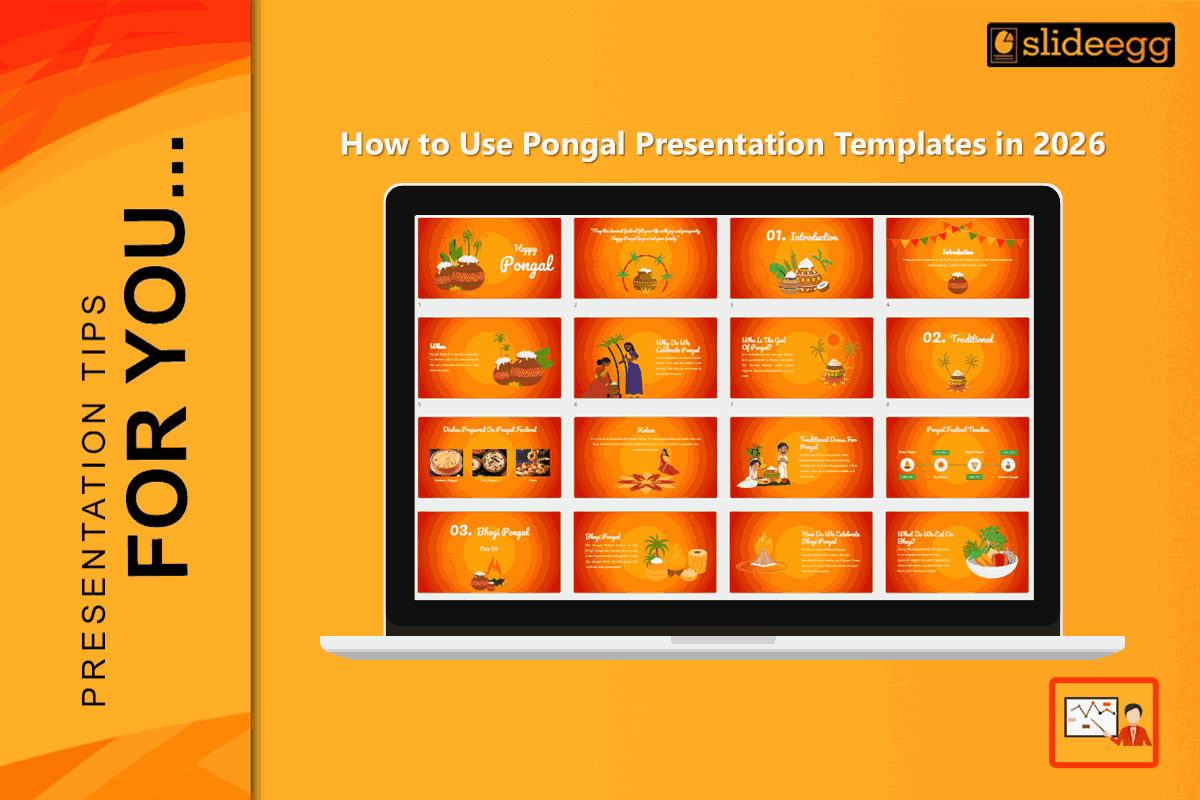
Pongal is not just an event. It is an emotion of fresh harvest, family, and gratitude. Many educational institutions and corporations are observing Pongal in 2026 with small functions, stage events, cultural meets, and virtual wishes. When you are required to make something during Pongal, such as an event schedule, welcome address, photo reportage, or festival message, Pongal templates help you out.
However, working with a template goes beyond “copy and paste.” It will look professional only if the content is clear, the design does not clutter, and the slide has the same purpose. The following steps will show you the right way to make use of the Pongal PowerPoint templates and make the slides professional and purposeful without making them too complex or dull.
Why Pongal Presentation Templates Work So Well
A ready-made template gives you:
- A festive theme: sugarcane, pongal pot, harvest colors.
- Balanced layouts, text, and image space already planned.
- Consistent fonts and colors (professional look with no extra work)
- Save time (you only edit, not design)
That is why choosing professional PowerPoint templates is really a wise choice for schools, offices, clubs, and even small businesses this Pongal season.
Step by Step: Using Pongal Templates Like a Pro
1) Choose the Correct Template Depending on the Objective
By 2026, your audience requires a visual refresh every 45-60 seconds. If a slide lasts more than 60 seconds, concentration disappears, and phones win.
Slide 1: The Hook (30 sec)
High-impact festive visual (Dark Mode) and a short welcome line.
Slide 2: The Pulse (1 min)
Include an interactive QR poll with the question, “Which Pongal dish is the best?” Display the results in real time.
Slide 3–4: The Context (2 min)
Two fast slides on Pongal/harvest meaning. No paragraphs.
Slide 5–7: The Recognition (3 min)
Quick photo display (one slide for each team or class). Continue to move.
Slide 8: The Call to Action (30 sec)
High contrast maps or directions to the location or upcoming event.
2) Edit the Content First, Not the Design
Many people will begin changing colors and effects first. The correct approach is:
- Remove the placeholder text
- Finalize the order of the slides
- The next stage is to alter
Your words don’t have to be many to be valuable. Pongal slides have to have a warm and simple feel, nothing to do with a lecture.
Examples of clean text:
Let us celebrate gratitude, harvest, and community.
Wishing you a sweet Pongal and a bright season ahead.
Program for Today: Welcome → Cultural Events → Games → Awards → Vote of Thanks.
3) Utilize Real Pictures to Provide Effective ‘Experience’ Signals
If you want your presentation to seem natural, add:
- Pongal Photos of last year’s event
- Team or classroom photographs
- Cooking or Pot Decoration Snapshot
Real photos make your deck look real and unique to remember. They also indicate that your event is unique and not generic.
4) 2026 Specifications for Visibility
Your slides must remain readable on mobile screens, LED TVs, and projectors—without viewers having to squint.
Strict Typography
Titles: 44–64 pt
Body text: 24–32 pt
This is mandatory for mobile-first viewing and large displays.
Dark Mode Optimization: Use deep, saturated backgrounds like maroon or charcoal. This reduces eye strain and makes festive colors stand out on modern office screens.
AA Contrast (7:1 Ratio): Use Saffron or Gold accents for text highlights. If your text fades on a projector, it’s a visibility failure.
Side-by-Side Presentation (Zoom/Teams): If presenting virtually, use Prezi Video or OBS to place visuals beside your camera feed. Keeping eye contact while presenting is key to engagement.
5) Add Simple Visual Consistency
Templates have their own style. That is your task to sustain.
Do this:
- Use a consistent font style throughout slides
- Maintain the same color scheme
- All icons must use the same style (either flat or outline, and not both)
- Make the text box alignment correct
Avoid:
- Some slides have random emojis.
- Using too many fonts (3+) is unattractive.
- Overusing animations
A clean deck always feels like a million bucks.
Smart Slide Ideas You Can Add in 2026
To make your Pongal interactive presentation more inviting and diverse, prepare some festive, meaningful, and easy-to-understand special slides for everybody:
Warm Welcome Slide
Start with a bright Happy Pongal message designed with warm festive colours and cheerful visuals to instantly create a joyful mood and welcome everyone into the celebration.
Pongal Traditions Slide
In simple, warm, and engaging language, tell the meaning of Pongal, the harvest celebration, and which customs are the most important.
Interactive Poll or Quiz Slide
Involve the audience by asking them fun questions like “Which Pongal dish do you love most?” or conducting a quick quiz about habits.
Photo & Memory Slide
Bring a personal touch and make the audience feel connected by showing pictures of celebrations, office events, or past Pongal moments.
Word Cloud Slide
Invite the participants to mention a word that represents Pongal—joy, family, gratitude, or harvest—and witness it getting formed live.
Thank You & Wishes Slide
Conclude with lovely festival wishes and a brief thank-you note that will surely make everyone smile.
Conclusion
Your Pongal presentation in 2026 must be neat, festival-like, and—above all—meaningful. Your content is what gives your presentation life, even when an excellent template helps in its design. Prioritise readability, add authentic photographs, simplify your content, and choose the appropriate template for the event. Your free template will appear quite professional if you do that.
FAQ
1) What are Pongal presentation templates?
They are designed for slides, coming with classic Pongal visuals such as sugarcane elements, illustrations of the festive Pongal pot, and warm harvest-inspired designs, so your presentation would look celebratory and on theme without requiring extra decoration work.
2) Can I be allowed to use Pongal PowerPoint templates for office functions?
Yes. Select a clean professional-style template. Add slides for the agenda, team activities, awards, and close with wishes.
3) How many slides should a Pongal presentation have?
Try for 10-15 slides every 10 minutes. The quick transitions (about 45 seconds per slide) save power and prevent multitasking.
4) How do I make a template look premium?
Use Dark Mode, High Contrast (7:1 ratio), and subtle cinemagraph-style motion (example: gentle steam effect on a Pongal pot) to avoid visual stagnation without overdoing animations.
5) Can the same Pongal PowerPoint template be used for Google Slides and Canva?
Many are compatible with PowerPoint, Google Slides, and Canva. If your template also has this functionality, you are able to upload and edit.