Introduction
A good presentation is not just about showing slides — it’s about making people understand your ideas clearly and fast. In 2025, no one wants messy or crowded slides. People like clean, smart, and simple designs that are easy to read and look professional.
Whether you’re a student preparing for a class, a teacher explaining a lesson, or a business person pitching an idea, your slide design says a lot about your work. A neat and modern design can help you build trust and grab attention in just a few seconds.
In this blog, we’ll walk you through the top PowerPoint design trends to follow this year. These trends will help you create slides that look good, feel modern, and most importantly — make your message clear.
Let’s see what works best in 2025 and how you can upgrade your slides easily!
✅ Why Should You Follow PowerPoint Design Trends?
Trends help you stay updated. If your slides look old, people may not take your message seriously. Good design helps you share your ideas more clearly.
Keeping up with design trends will:
- Make your presentation look professional
- Help your audience stay focused on your topic
- Save your time by using smart design techniques
- Improve your visual storytelling
Using new trends shows you care about quality and your audience.
🅰️ Which Font Should You Use in 2025?
Fonts are like the voice of your slide. A good font is easy to read and gives the right feel. In 2025, Sans-serif fonts are the most popular choice. These fonts don’t have tiny lines or fancy edges, so they look clean and simple.
💬 Why Sans-serif Fonts Work:
Sans-serif fonts like Roboto, Open Sans, and Lato look modern and work well on screens. They are easy on the eyes and don’t distract from the message. These fonts are also available in many sizes and weights, so you can use them for headings and normal text.
🎯 Best for:
- Online classes and meetings
- Business pitches
- School and college projects
- Webinars or virtual events
👉 Tips:
- Use one main font style throughout
- Keep text size 24pt or above for easy reading
- Don’t use more than 2 font types in one presentation
🎨 What Background Designs Are Popular in 2025?
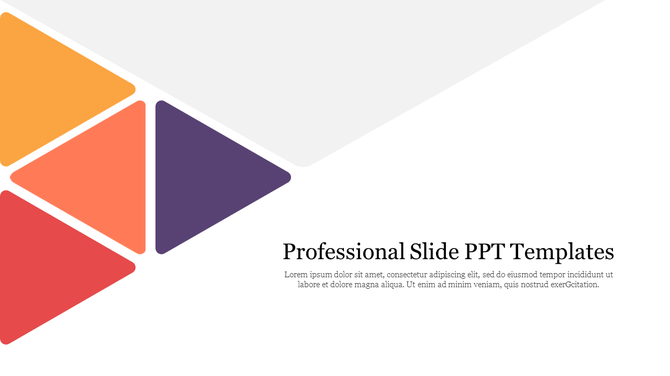
The background is the base of your slide. It should never fight with your text. In 2025, minimal backgrounds are in style. This means fewer colors, soft tones, and smooth textures.
🎯 Why Backgrounds Matter:
A bad background can make your text hard to read or your slide look messy. On the other hand, a simple, soft-colored background makes your message clear and gives a clean feel.
🌈 What Works:
- Soft gradient backgrounds (light blue, beige, soft grey)
- Pastel color tones that are gentle on the eyes
- Light textures like smooth waves, paper grain, or soft blur
- Transparent layers to give depth without being heavy
Avoid bold, flashy patterns or neon colors. They look old-fashioned and confuse the viewer.
🔢 How to Show Numbers the Right Way in 2025?
Data is powerful, but it only works if people understand it easily. Many times, people add big tables filled with numbers. But most of the time, the audience skips them because they are hard to read and boring. That’s why in 2025, the smart way is to show numbers using visuals like colorful charts infographics, clean icons, and simple shapes.
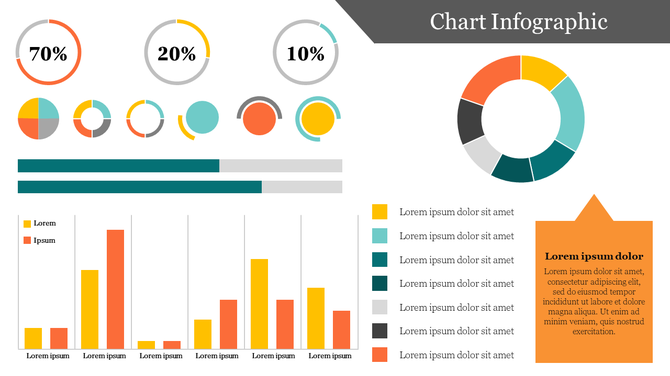
When you use these visual tools, people can understand your message in just a few seconds. It also helps them remember the data for a longer time. For example, a pie chart can quickly show how much each part contributes, and a bar chart can show which option is the best or worst.
📊 Use visuals like:
- Bar charts for comparing numbers
- Pie charts to show parts of a whole
- Line charts for trends or progress
- Big icons next to numbers to explain meaning
- Colored text or labels to highlight important points
💡 Use fewer numbers per slide and make one point at a time. This keeps the slide clean and the message strong.
✔️ Real Tip:
Keep one big number per slide if it’s very important. That way, the audience remembers it better.
🖼️ What Image Style Works Best in 2025?
Images are not just for making your slide look nice. They help people understand your message quickly — sometimes even better than words. When someone looks at a picture, their brain processes it faster than reading a paragraph.
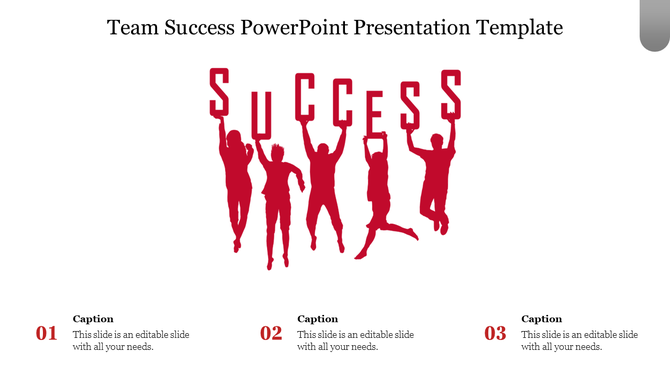
In 2025, the best trend is to use real-looking images with soft and clean colors. These images feel more natural and match your presentation better. Avoid using old-style clipart or very bright, fake-looking pictures. They can make your slide look outdated or less serious.
Using the right image can also create emotion. For example, if your topic is about teamwork, showing a group of people working together feels more powerful than just writing “teamwork.”
📷 Tips for using images:
- Use real-life photos that match your topic
- Choose soft-toned images with natural colors
- Avoid busy or noisy pictures that distract the audience
- Use high-quality images to look professional
- Keep space around your image so the slide doesn’t look crowded
💡 Bonus tip: You can also use PowerPoint templates that already have image placeholders. This helps your presentation look clean and well-arranged.
📊 Comparison Table: Old vs. 2025 Slide Design Trends
| Design Element | Old Style Look | 2025 Style Design |
| Font Style | Times New Roman, Serif Fonts | Roboto, Lato (Sans-serif) |
| Background | Plain white or dark solid | Soft gradients, pastel textures |
| Number Style | Tables, lots of text | Visual charts, bold numbers, icons |
| Image Style | Stock photos with forced smiles | Real photos with clear design |
| Slide Layout | Text-heavy, crowded | Clean layout, space between elements |
🛠️ What Tools Help You Use These Trends?
You don’t need to be a designer to follow these trends. Many free and simple tools can help:
- Designing Service – helps you create beautiful slides with the right layout and style
- Canva – great for creating visual slides with drag-and-drop
- Google Slides – for group presentations
🎉 Final Thoughts – Your 2025 Slides, Upgraded
Presentation design in 2025 is all about being clean, clear, and creative. You don’t need fancy tools — just follow the right trends. Focus on using good fonts, soft backgrounds, smart numbers, and real images.
These simple steps will make your presentation easy to understand and beautiful to watch. Whether it’s for work or school, following these trends will help you stay ahead and leave a great impression.
👉 Start with one trend today — and design smarter, not harder!
🙋♀️ Frequently Asked Questions (FAQs)
1. Can I use these trends for school projects?
Yes! These trends work well for school and college presentations.
2. Is one font enough for the whole slide?
Yes, using one font is better. Just use different sizes for heading and content.
3. What is the best background color?
Light colors like grey, cream, or light blue are great for most topics.
4. Can I mix graphs and text?
Yes, just make sure they don’t overlap and are easy to read.
5. Where can I get modern slide templates?
You can use platforms like SlideEgg or Canva for updated 2025 templates.